
CAD & Prototyping
Jewellery 3D Scanning vs CAD Modelling: When Each Is Useful
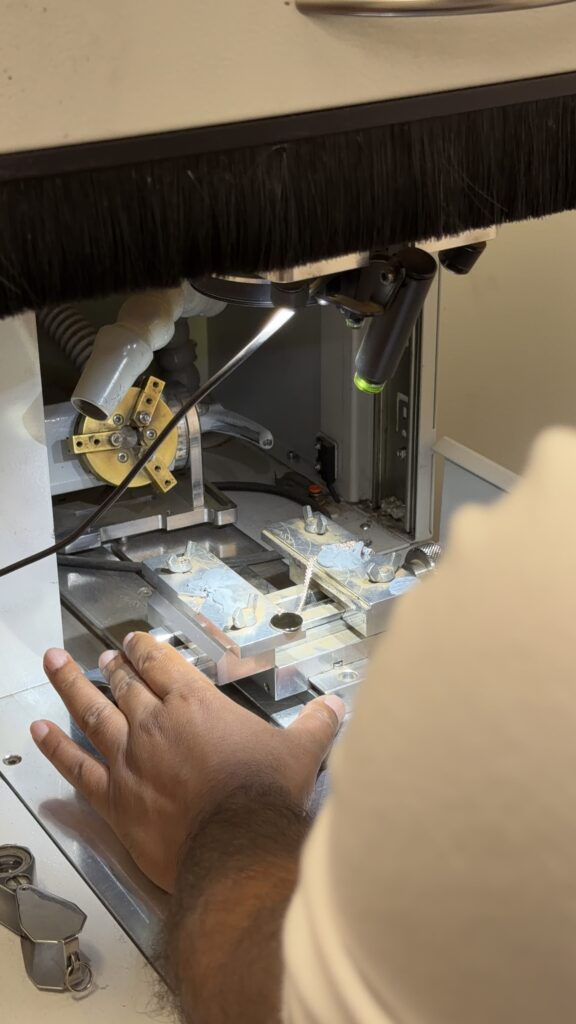
Jewellery 3D scanning and CAD modelling answer different starting questions. Scanning captures accessible geometry from a physical object. CAD modelling creates or develops geometry around a design requirement. A project may use both, but scan data should not automatically be treated as a file ready for manufacture.
Jewellery 3D scanning and CAD modelling answer different starting questions. Scanning captures accessible geometry from a physical object. CAD modelling creates or develops geometry around a design requirement. A project may use both, but scan data should not automatically be treated as a file ready for manufacture.
Before commissioning either service, define the intended output. Matching an existing profile, recording a component and developing a new setting can require different levels of interpretation and rebuilding.
Discuss jewellery 3D scanning vs CAD
Describe what must be captured, interpreted or developed from the physical reference.
Use scanning when the physical reference matters
A scan can support work where an existing shape is important to the project. It may provide reference information for a component or a profile that would be difficult to describe with a few photographs.
The source object still needs context. Identify its condition and explain which features must be retained. Wear, distortion or previous alterations may be present in the physical piece but may not belong in the intended new design.
Recognise what the scan cannot establish
A&M’s 3D scanning information explains that reflective surfaces, undercuts and hidden areas can require interpretation or further measurement. A scan records accessible geometry; it does not recover every feature that the scanner cannot see.
It also does not establish the material specification, production tolerances or intended stone fit by itself. Supply that information separately and identify any areas that need checking against the physical item.
Use CAD to resolve design decisions
CAD can develop geometry around dimensions, construction and the next production stage. It may start from a brief, a drawing or scan reference. The important point is that the intended design remains controlled rather than merely reproducing the source object’s condition.
If a scanned ring is worn, for example, decide whether the new model should retain its current profile or restore an agreed form. That is a design decision requiring approval, not an automatic consequence of scanning.
Before the next production step
Confirm whether the output is scan data, rebuilt geometry or a production deliverable.
Define the handover between capture and modelling
Ask whether the commission includes raw scan data, cleaned geometry, a rebuilt model or a production export. These are different deliverables. Clarify the file formats and what further work the receiving supplier is expected to do.
Where scan data is used in CAD, retain the relationship between the physical reference and the approved model. Record important departures from the source so a later reviewer understands what was deliberately changed.
Check the result against the intended use
For a matching project, identify the dimensions and visible features that need comparison. For a new design, check the model against the approved specification. A convincing overlay or render should not replace the required physical or dimensional checks.
If a sample is needed, state what it will establish. The sample might test fit, appearance or assembly. Keep those conclusions separate so approval of one feature does not imply that every production question has been resolved.
Commission the deliverable you need
Describe whether the task is capture, interpretation, design development or production preparation. That makes it easier to select scanning, CAD or a combination and to compare quotations for the same outcome.
Plan the work with A&M
A&M can assess your trade enquiry in the context of the actual piece and requested workshop stages. Bring the references discussed in this guide so the next decision can be made on clear information.
Frequently asked questions
Does a scan create a production-ready jewellery model?
Not automatically. The scan may need interpretation, rebuilding and checks for the intended material and process. Confirm the required level of preparation before commissioning the work.
Can scanning copy an unseen internal feature?
A scan cannot be assumed to capture geometry it cannot access. Discuss the limitations and any additional measurement or modelling needed for hidden areas.
Should an existing worn piece be reproduced exactly?
That depends on the brief. Identify whether wear and alterations should be retained, corrected or used only as reference, then approve the intended new geometry.